Breaking Down Video Editing Costs: Key Factors Affecting Editing Cost

When you’re ready to bring your video project to life, understanding the costs involved in video editing is crucial. Whether you’re a content creator, a business owner, or an individual with a story to tell, knowing what influences the price can help you budget wisely and get the best value for your investment. Video editing costs can vary widely, but breaking down the factors affecting editing cost will give you clarity and confidence as you move forward.
What Influences Video Editing Costs?
Video editing is more than just cutting and pasting clips together. It’s a creative process that involves technical skills, artistic decisions, and sometimes complex software and equipment. Here are the main factors that affect how much you’ll pay for video editing:
1. Project Complexity
The more complex your project, the higher the cost. Simple edits like trimming clips and adding basic transitions are quick and affordable. But if your video requires color grading, motion graphics, special effects, or sound design, expect the price to rise. For example, a 2-minute promotional video with animated logos and sound effects will cost more than a straightforward interview edit.
2. Length of the Raw Footage and Final Video
Editing a 10-minute final video from 30 minutes of raw footage is different from editing the same length video from 5 hours of footage. More footage means more time spent reviewing, selecting, and organizing clips, which increases the editing time and cost.
3. Editor’s Experience and Skill Level
Experienced editors with a strong portfolio often charge more because they bring expertise and efficiency. However, hiring a seasoned professional can save you time and ensure a polished final product. If you’re on a tight budget, newer editors or freelancers might offer lower rates but may require more guidance.
4. Turnaround Time
If you need your video edited quickly, expect to pay a premium. Rush jobs require editors to prioritize your project, sometimes working overtime. Planning ahead and allowing ample time can help you avoid extra fees.
5. Revisions and Feedback
Most editors include a set number of revisions in their price. If you want multiple rounds of changes or significant alterations after the initial edit, this can add to the cost. Clear communication and providing detailed feedback early on can minimize extra charges.
6. Additional Services
Some projects require extra services like scriptwriting, voiceovers, subtitles, or closed captions. These add-ons increase the overall cost but can enhance your video’s reach and professionalism.

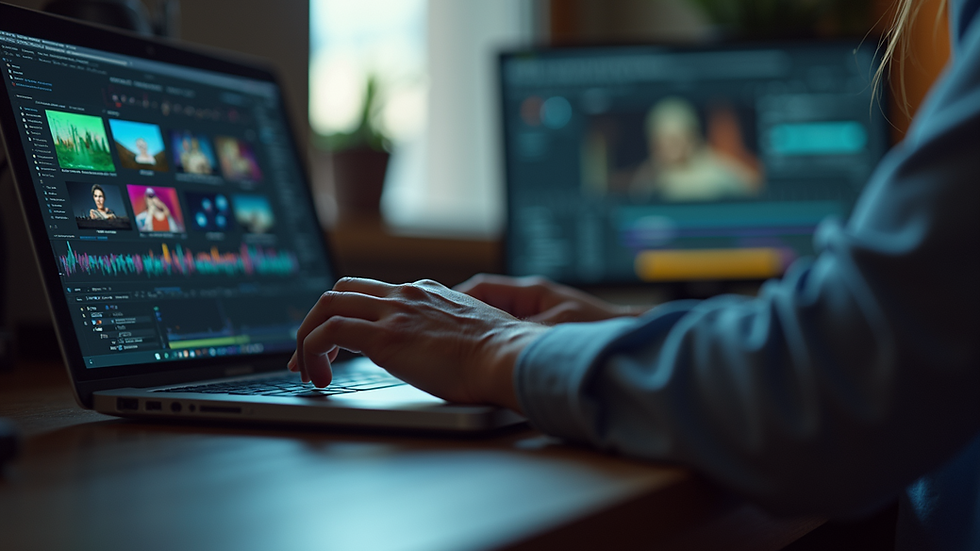
Caption: A video editor carefully arranges clips on a timeline to create a seamless story.
Understanding Factors Affecting Editing Cost in Detail
Let’s dive deeper into the factors affecting editing cost so you can make informed decisions.
Equipment and Software
Professional video editors use high-end computers and software like Adobe Premiere Pro, Final Cut Pro, or DaVinci Resolve. These tools require licenses and regular updates, which contribute to the cost. If your project demands advanced effects or 3D animation, specialized software and plugins may be necessary.
Location and Market Rates
Where you hire your editor can impact the price. Editors in major cities or regions with a high cost of living often charge more. However, remote work has made it easier to find talented editors worldwide, sometimes at more affordable rates. Just be sure to check their portfolio and reviews.
Project Type and Purpose
The type of video you want edited also matters. Corporate videos, commercials, and documentaries often require a higher level of polish and storytelling, which can increase costs. Social media videos or personal projects might be simpler and less expensive.
Collaboration and Communication
Projects that require frequent meetings, detailed storyboards, or collaboration with other creatives (like directors or animators) can take more time and coordination, adding to the cost. Clear project briefs and expectations help streamline the process.

Caption: Close-up of color grading adjustments enhancing the visual tone of a video.
How much should I charge to edit videos?
If you’re considering offering video editing services yourself, setting your rates can feel tricky. Here’s a simple guide to help you price your work fairly and competitively.
Consider Your Skill Level and Experience
If you’re just starting, you might charge between $20 to $40 per hour. As you gain experience and build a portfolio, rates can increase to $50 to $100 per hour or more. Highly specialized editors or those with a strong reputation can command $150+ per hour.
Decide on Pricing Models
Hourly Rate: Good for projects with unclear scope or ongoing work.
Flat Fee: Ideal for well-defined projects with clear deliverables.
Per Minute of Final Video: Some editors charge based on the length of the finished video, often ranging from $100 to $500+ per finished minute depending on complexity.
Factor in Your Costs
Remember to include your software subscriptions, hardware expenses, taxes, and time spent communicating with clients. Don’t undervalue your time or skills.
Offer Packages
Consider creating packages for common project types, such as social media clips, event highlights, or corporate videos. Packages make pricing transparent and easier for clients to understand.
Communicate Clearly
Always provide a detailed quote outlining what’s included, the number of revisions, and turnaround time. This helps avoid misunderstandings and builds trust.
Tips to Manage Your Video Editing Budget
You want a great video without breaking the bank. Here are some practical tips to keep costs manageable:
Plan Ahead: The more prepared you are with scripts, shot lists, and clear goals, the smoother the editing process will be.
Keep It Simple: Avoid unnecessary effects or overly complex edits unless they add real value.
Organize Your Footage: Label and sort your clips before handing them over to the editor. This saves time.
Limit Revisions: Provide clear feedback early to reduce the number of revision rounds.
Use Templates: For social media or recurring content, templates can speed up editing and reduce costs.
Negotiate: Don’t hesitate to discuss your budget with your editor. They may offer flexible options or payment plans.
Where to Find Reliable Video Editors
Finding the right editor is key to getting the best results for your budget. Here are some places to start your search:
Freelance Platforms: Websites like Upwork, Fiverr, and Freelancer offer a wide range of editors with varying rates and skills.
Professional Networks: LinkedIn and industry-specific groups can connect you with experienced editors.
Local Studios: If you prefer face-to-face collaboration, local video production companies or studios might be a good fit.
Referrals: Ask colleagues or friends for recommendations. Personal referrals often lead to trusted professionals.
Before hiring, review portfolios, ask for references, and request a small test edit if possible. This helps ensure the editor’s style matches your vision.
Final Thoughts on Video Editing Costs
Understanding the factors affecting editing cost empowers you to make smart choices. Remember, investing in quality editing can elevate your video content, helping you connect with your audience and leave a lasting impression. Whether you’re hiring an editor or setting your own rates, clear communication and realistic expectations are your best tools.
If you want to explore current video editing prices and find options that fit your needs, take your time to compare and ask questions. Your video deserves the best care, and with the right approach, you’ll get great results without surprises.
Happy editing!


Comments